Videos
Getting Started with MPLAB® Harmony v3 Using MPLAB Code Configurator
Microchip Technology
MPLAB® Harmony 3 is a software development framework consisting of compatible and interoperable modules that include peripheral libraries (PLIBs), drivers, system services, middleware, and third-party libraries. The MPLAB Harmony Configurator (MHC) is a GUI-based tool that provides an easy way to enable and configure various MPLAB Harmony modules. The MHC is a plug-in to the MPLAB X Integrated Development Environment (IDE). More Details about MPLAB Harmony v3 can be found at https://www.microchip.com/harmony
This video explains how to create a new MPLAB Harmony v3 project using MCC and also shows you how to migrate an MHC-based project to MCC based project. This video has two parts.
Part 1: How to create a new M P LAB Harmony v3 project using MCC on SAM E51 Curiosity Nano Evaluation Kit.
In this project, we create a new MCC-based Harmony v3 project to demonstrate an LED (LED 0) toggle on a timeout basis and print the LED toggling rate on the serial terminal.
Part 2: How to migrate an existing MHC-based MPLAB Harmony v3 project to MCC based project on Curiosity PIC32MZ EF 2.0 Development Board.
In this project, we update and configure an existing MHC-based MPLAB Harmony v3 project to MCC based project. This video uses the Getting Started Application on Curiosity PIC32MZ EF 2.0 Development Board project to update and configure an existing project.
This application demonstrates an LED toggle (LED1 toggles when the switch SW1 is pressed and LED3 toggles when switch SW3 is pressed) on a timeout basis and prints the LED toggling rate on the serial terminal. The periodicity of the timeout will change from 500 milliseconds to one second, two seconds, four seconds, and back to 500 milliseconds every time you press the switch SW1 or SW3 on the Curiosity PIC32MZ EF 2.0 Development Board. The periodicity will not change while switching between SW1 to SW3 or vice versa.
Reference Links:
1. Getting Started with the SAM E51 Curiosity Nano Evaluation Kit: https://www.youtube.com/watch?v=2k893...
2. Create Your First Project with PIC32MZ EF using MPLAB® Harmony v3: https://www.youtube.com/watch?v=P_sm5...
3. How to Set-up the Tools Required to Get Started with MPLAB® Harmony v3: https://www.youtube.com/watch?v=5nt3D...
4. Getting Started - MPLAB® X IDE Essentials - 01: Installation and Ecosystem: https://www.youtube.com/watch?v=62ivl...
5. Create a new MPLAB Harmony v3 project using MCC: https://microchipdeveloper.com/harmon...
6. Update and configure an existing MHC based MPLAB Harmony v3 project to MCC based project: https://microchipdeveloper.com/harmon...
7. Getting Started Extended Application on Curiosity PIC32MZ EF 2.0 Development Board Project: https://github.com/Microchip-MPLAB-Ha...
8. Curiosity PIC32MZ EF 2.0 Development Board :https://www.microchipdirect.com/produ...
9. SAM E51 Curiosity Nano Evaluation Kit: https://www.microchipdirect.com/dev-t...
Related
-
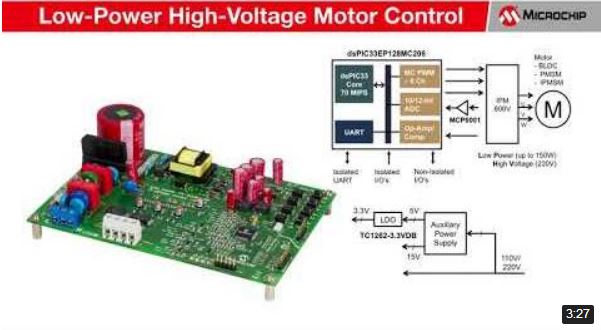
Low-Power High-Voltage Motor Control Demonstration
- Microchip Technology
- Equipment and control components
-

First CIP-Enabled megaAVR Enhances Real-Time Control
- Microchip Technology
- Microcontrollers
-
(Korean) AVR 인사이트 21편 - 인터럽트
- Microchip Technology
- Power Supply
-

(Japanese) Microchip MPLAB® PICkit™ 4インサーキットデバッガ ウェビナー
- Microchip Technology
- Company / Market Trends
-

(Korean) AVR 인사이트 15편 - ADC 위상 모드
- Microchip Technology
- Power Supply
-
(Japanese) Microchip MPLAB® PICKit™ 4インサーキットデバッガの紹介
- Microchip Technology
- Measurement / Test
-
(Japanese) Microchip ATmega 4809 Xplained Proボードの紹介
- Microchip Technology
- Microcontrollers
-
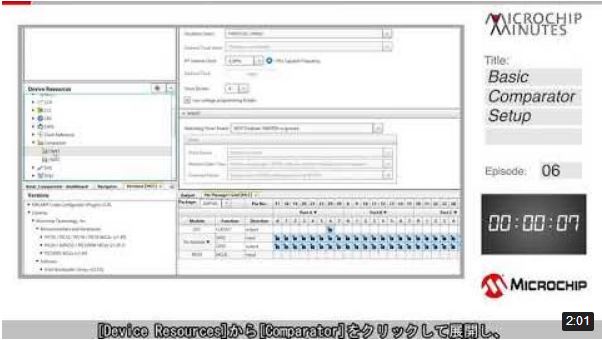
(Japanese) Microchip Minutes Episode 6 コンパレータの基本設定
- Microchip Technology
- Power Supply
-
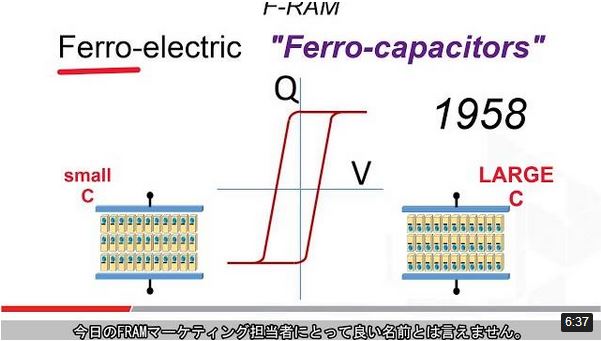
(Japanese) Microchip FRAMの概要
- Microchip Technology
- Processor/Memory
-
Dual-core dsPIC® Enables Separate Code Development for each Core
- Microchip Technology
- Embedded Software Development
-
First 32-bit MCUs with Chip-level Security and Arm® TrustZone
- Microchip Technology
- Microcontrollers
-

(Korean) Microchip 3D GestIC 솔루션
- Microchip Technology
- Microcontrollers
-
dsPIC33CH Dual Core Demonstration
- Microchip Technology
- Processor/Memory
-

SAM L10/L11 Driven Shield Plus
- Microchip Technology
- Microcontrollers
-

What is nvSRAM?
- Microchip Technology
- Processor/Memory
-

What is EERAM?
- Microchip Technology
- Processor/Memory
-

利用Atmel Xplained Mini板和Studio 7调试Arduino®项目
- Microchip Technology
- Measurement / Test
-
Connected, Secure, and Wearable Electrocardiogram ECG Demonstration Video
- Microchip Technology
- Company / Market Trends
-

PIC18F24/25Q10 Microcontrollers
- Microchip Technology
- Microcontrollers
-

PIC32MM Family of MCUs and the Curiosity Ecosystem
- Microchip Technology
- IoT