Videos
Secure IoT Gateway Application on PIC32CM LS60 Curiosity Pro Evaluation Kit
Microchip Technology
This project demonstrates a secure communication and authentication mechanism between a host and client IoT device using the PIC32CM LS60 microcontroller. It showcases the ability of the PIC32CM LS60 to differentiate between trusted and non-trusted client devices, ensuring that only authenticated clients can participate in data exchange and cloud connectivity.
PIC32CM LS60 Curiosity Pro Evaluation Kit
PIC32CM LE00 Curiosity Pro Evaluation Kit
I/O1 Xplained Pro Extension Kit
ATWINC1500-XPRO
MIKROE OLED C Click
Demo: Secure IoT Gateway on PIC32CM LS60 Curiosity Pro Evaluation Kit
Demo User Guide:
For PIC32CM LS60 Host, see https://onlinedocs.microchip.com/oxy/...
For PIC32CM LS60 Client, see https://onlinedocs.microchip.com/oxy/...
For PIC32CM LE00 Client, see https://onlinedocs.microchip.com/oxy/...
More Demos on PIC32CM LS60 Curiosity Pro Evaluation Kit
How to Set up the Tools Required to Get Started with MPLAB® Harmony v3 and MCC
• How to Set up the Tools Required to Get St...
0:00 – Introduction
0:33 – Prerequisite - Software
0:48 – Prerequisite – Hardware
1:31 – Application Block Diagram
3:31 – Project Scope and Steps
3:29 – Step 2: Download the project from the kit page
4:11 – Step 3: Open the project and launch MCC
4:33 – Step 4: Check the peripheral configurations in MCC
5:11 – Step 5: Compile the project and see the Output
7:57 – More application demos on PIC32CM LS60 Curiosity Pro Evaluation Kit
Related
-
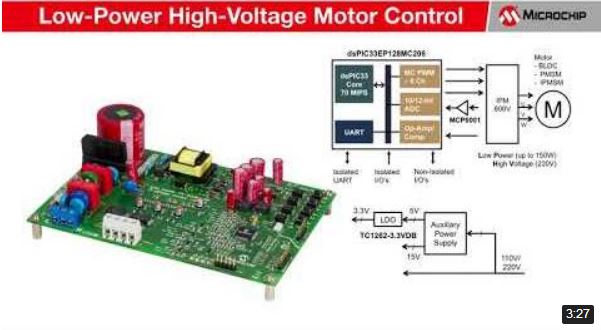
Low-Power High-Voltage Motor Control Demonstration
- Microchip Technology
- Equipment and control components
-

First CIP-Enabled megaAVR Enhances Real-Time Control
- Microchip Technology
- Microcontrollers
-
(Korean) AVR 인사이트 21편 - 인터럽트
- Microchip Technology
- Power Supply
-

(Japanese) Microchip MPLAB® PICkit™ 4インサーキットデバッガ ウェビナー
- Microchip Technology
- Company / Market Trends
-
(Korean) AVR 인사이트 15편 - ADC 위상 모드
- Microchip Technology
- Power Supply
-
(Japanese) Microchip MPLAB® PICKit™ 4インサーキットデバッガの紹介
- Microchip Technology
- Measurement / Test
-
(Japanese) Microchip ATmega 4809 Xplained Proボードの紹介
- Microchip Technology
- Microcontrollers
-
(Japanese) Microchip Minutes Episode 6 コンパレータの基本設定
- Microchip Technology
- Power Supply
-
(Japanese) Microchip FRAMの概要
- Microchip Technology
- Processor/Memory
-
First 32-bit MCUs with Chip-level Security and Arm® TrustZone
- Microchip Technology
- Microcontrollers
-
Dual-core dsPIC® Enables Separate Code Development for each Core
- Microchip Technology
- Embedded Software Development
-

(Korean) Microchip 3D GestIC 솔루션
- Microchip Technology
- Microcontrollers
-
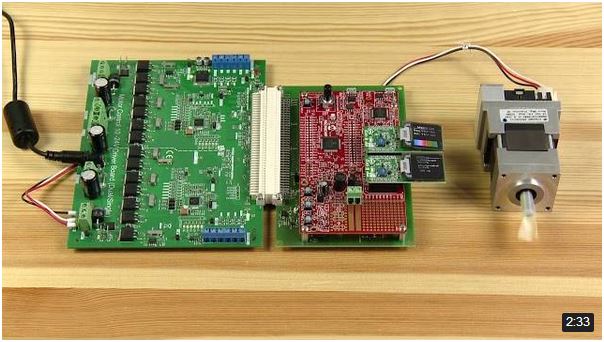
dsPIC33CH Dual Core Demonstration
- Microchip Technology
- Processor/Memory
-

SAM L10/L11 Driven Shield Plus
- Microchip Technology
- Microcontrollers
-

What is EERAM?
- Microchip Technology
- Processor/Memory
-

What is nvSRAM?
- Microchip Technology
- Processor/Memory
-

利用Atmel Xplained Mini板和Studio 7调试Arduino®项目
- Microchip Technology
- Measurement / Test
-
Connected, Secure, and Wearable Electrocardiogram ECG Demonstration Video
- Microchip Technology
- Company / Market Trends
-

PIC18F24/25Q10 Microcontrollers
- Microchip Technology
- Microcontrollers
-

PIC32MM Family of MCUs and the Curiosity Ecosystem
- Microchip Technology
- IoT